
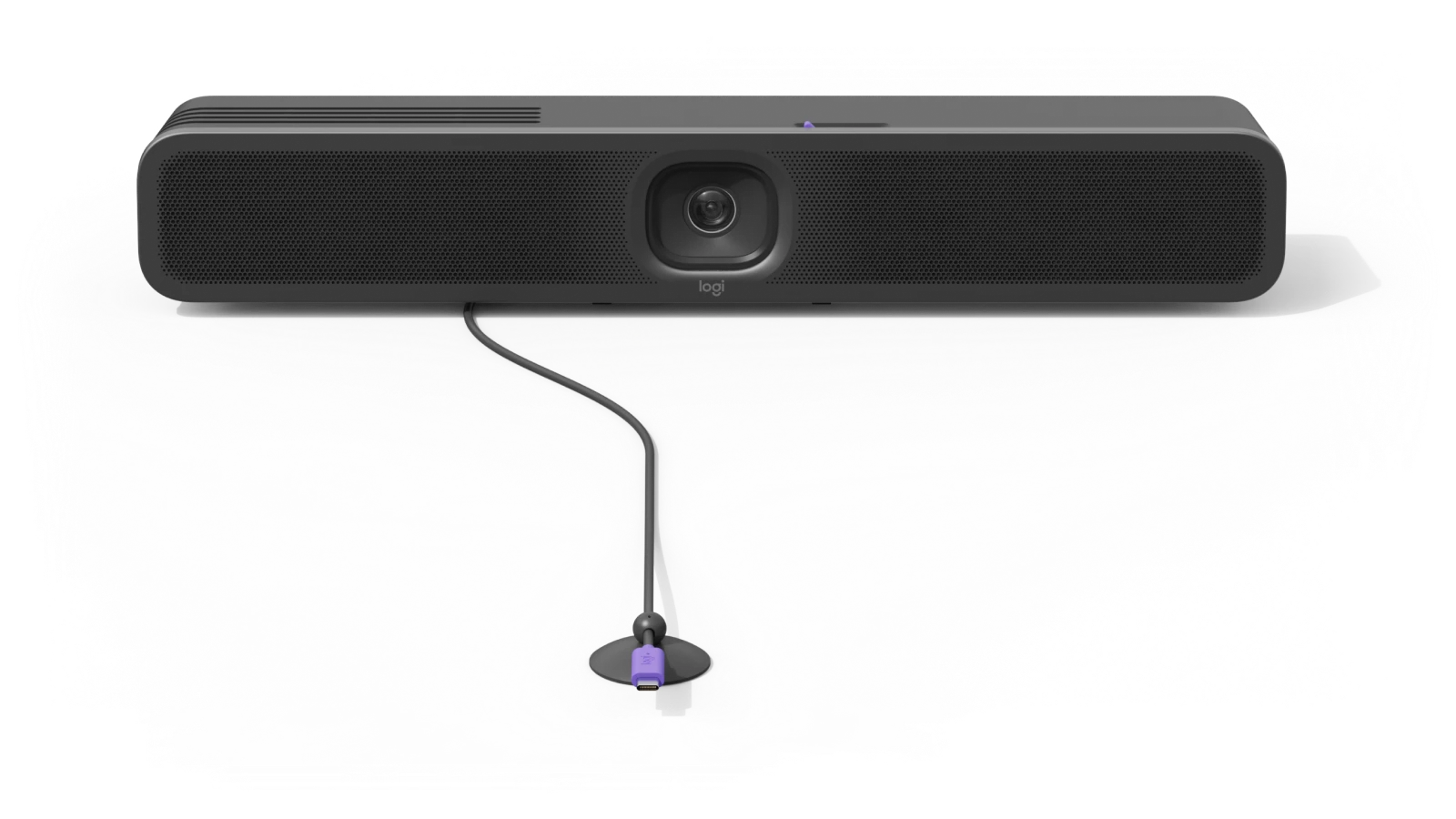
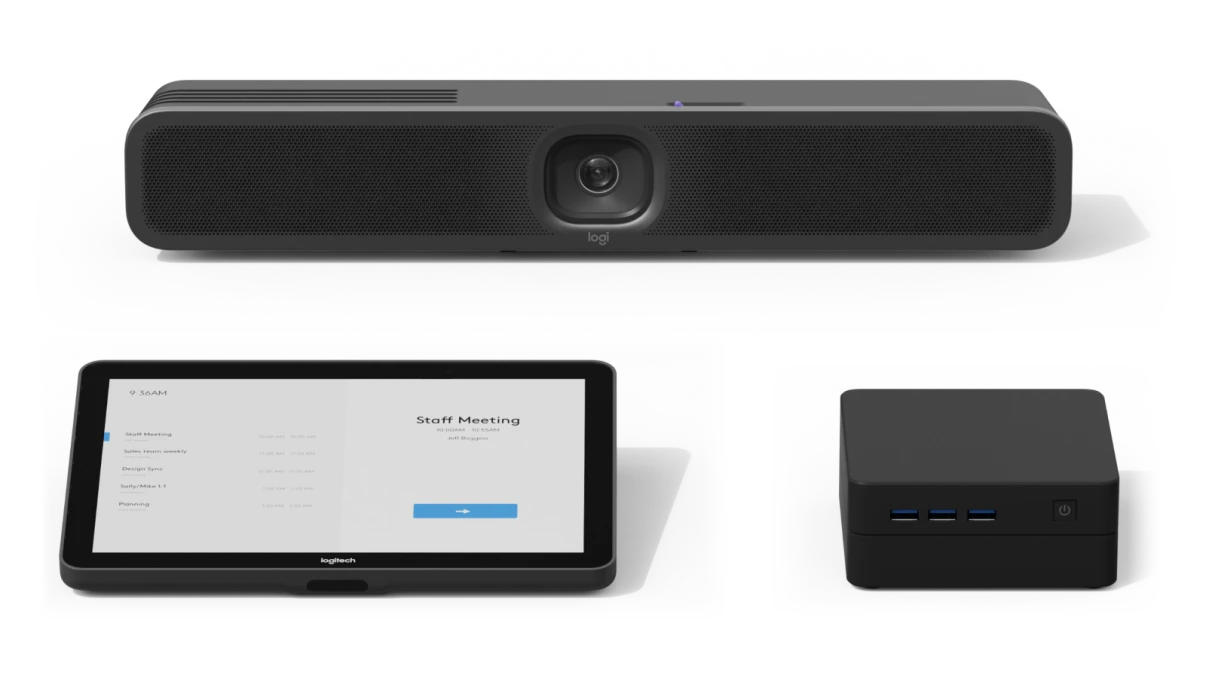
MeetUp 2 Video Conferencing Camera
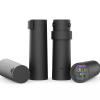
KSh 133,000.00 (EX.Vat)
Key Features
The Logitech MeetUp 2 is an AI-powered USB conference camera designed to enhance video collaboration in small meeting rooms and huddle spaces. Its key features include:
-
AI-Enhanced Video and Audio: Utilizes artificial intelligence to provide advanced features such as auto-framing, noise suppression, and voice activity detection, ensuring a seamless and immersive conferencing experience.
-
Ultra-Wide Field of View: Equipped with a 120-degree lens, the camera captures all participants in the room without the need for repositioning, making it ideal for compact spaces.
-
4K Ultra HD Resolution: Delivers crisp and clear video quality, capturing every detail to facilitate effective communication during meetings.
-
Flexible Deployment Options: Supports both PC-based and Bring Your Own Device (BYOD) setups, connecting directly to a meeting room system or a laptop, providing versatility for various meeting environments.
-
Seamless Integration with Video Platforms: Compatible with popular video conferencing services such as Microsoft Teams, Zoom, and Google Meet, ensuring smooth operation within existing workflows.
-
Sustainable Design: Constructed with eco-friendly materials and designed for energy efficiency, aligning with corporate sustainability initiatives.
These features make the Logitech MeetUp 2 a comprehensive solution for enhancing collaboration in small meeting spaces.
MeetUp 2 Video Conferencing Camera
Overview
The Logitech MeetUp 2 is an advanced all-in-one USB conference camera designed to enhance video collaboration in small meeting rooms and huddle spaces. Building upon the success of its predecessor, the MeetUp, this second-generation device integrates AI-driven features to deliver superior audio and video performance. Below are the detailed specifications:
Dimensions and Weight:
- Height: 73.3 mm (2.9 inches)
- Width: 469.2 mm (18.5 inches)
- Depth: 73 mm (2.9 inches)
- Weight: 1.8 kg (63.5 ounces)
System Requirements:
- Operating Systems: Windows 10 and higher; macOS (two most recent versions)
- Network Connection: Recommended wired or wireless
Built-in Components:
- Microphones: Six omnidirectional digital MEMS microphones forming five adaptive acoustic broadside beams
- Camera: Digital Pan-Tilt-Zoom (PTZ) with 4X HD digital zoom
- Speaker: One full-range ported speaker with a 55 mm driver
- Additional Features: Cable management and retention system; Multi-mount; Logitech CollabOS platform; Logitech RightSight 2 and RightSound 2 technologies
Camera Specifications:
- Digital Pan: ±48° at 4x zoom
- Digital Tilt: ±32° at 4x zoom
- Diagonal Field of View: 120°
- Horizontal Field of View: 113°
- Vertical Field of View: 80°
- Resolution: 4K
Speaker Specifications:
- Driver: 55 mm with bass reflex enclosure and patented suspension design
- Sensitivity: 83 dB SPL @1W ±2dB @ 1 meter
- Rated Power: 8W
- Total Harmonic Distortion (THD): <2% at 1W, 1kHz
- Sampling Rate: 48KHz
- Impedance: 4 Ohms
Microphone Specifications:
- Frequency Response: 90Hz – 16kHz
- Sensitivity: -36dBFS ±1 dB @ 1Pa
- Data Rate Output: 48 kHz
- Pickup Range: Up to 7 meters (23 feet)
- Beamforming Elements: Six omnidirectional digital MEMS microphones forming five adaptive acoustic broadside beams
- Audio Processing: Acoustic Echo Cancellation (AEC); Voice Activity Detector (VAD); AI-based noise suppression algorithm
Interfaces:
- HDMI Out: 1
- HDMI In: 1
- USB: 1 x Type C USB 3.1
- Network: 10/100/1G Ethernet
- Wi-Fi: 802.11a/b/g/n/ac
- Bluetooth: Bluetooth® Low Energy
Power and Cables:
- Power Supply: Auto-sensing; Operating Voltage/Power: 100-240V, 19V, 2.1A
- Power Supply Dimensions: 114 mm x 47 mm x 32.3 mm
- DC Cable: 3 meters (9.8 feet)
- USB-C to USB-C 3.0 Cable: 3 meters (9.8 feet)
Environmental Conditions:
- Operating Temperature: 0 to 40°C
- Storage Temperature: -25 to 70°C
- Humidity: 10 to 90%
Security Features:
- File-Based Encryption: AES-128
- Data Encryption: Symmetric Keys, PKI
- Device Identity: Protected by device attestation
- Device Access: Authenticated using API Key
- Protection: Arm TrustZone, RPMP
- Physical Security: Kensington Security Slot
Package Contents:
- All-in-one MeetUp 2 with Multi-function mount
- Power supply with regional-specific plugs
- USB-C to USB-C 2.0 cable (3 meters / 9.82 feet)
- Two wall anchors and two screws
- Quick start guide printed on the box
These comprehensive specifications position the Logitech MeetUp 2 as a cutting-edge solution for modern video conferencing needs, particularly in small meeting environments.
Frequently Asked Questions (FAQs)
1. What is the maximum USB cable length supported by MeetUp 2?
MeetUp 2 includes a 3-meter (9.84 ft) USB-C to USB-C 2.0 cable. For reliable data transfer using a USB 2.0 cable, it’s recommended not to exceed 5 meters (16.4 ft). For longer distances, the Logitech Strong USB cable is available in lengths of 10m, 25m, and 45m (32.8 ft, 82 ft, and 147.63 ft) and is recommended for extended connections.
2. Where can I find the serial number on my MeetUp 2 device?
The serial number is located on the bottom side of the MeetUp 2 device, printed on a purple sticker.
3. What is the maximum camera resolution of MeetUp 2?
MeetUp 2’s camera supports a maximum resolution of 4K. However, when used for video conferencing, the achievable resolution may be limited by the video conferencing platform in use. It’s advisable to consult the documentation of your preferred platform to determine its maximum supported video resolution.
4. What is the maximum HDMI video output of MeetUp 2?
The maximum HDMI output resolution for MeetUp 2 is 1080p.
5. Can MeetUp 2 be used in Android mode with a Tap or Tap IP controller?
No, MeetUp 2 is designed as a BYOD (Bring Your Own Device) USB device that requires a host computing device for connectivity and does not support direct integration with Tap or Tap IP controllers in Android mode.
6. What items are included with MeetUp 2?
The MeetUp 2 package includes:
- MeetUp 2 device
- 3m USB 2.0 C to C cable
- Power supply
- IEC C8 AC power cord adapter
- AC power plugs (varies by region)
- Clip for mounting above a display
- User documentation
Note: While MeetUp 2 supports DisplayPort Alt Mode, the included USB 2.0 cable is not compatible with this feature. To utilize DisplayPort Alt Mode, a compatible user-supplied cable is required. Logitech offers a 5m Active USB Cable that supports DisplayPort Alt Mode.
7. How do I connect MeetUp 2 to a network using an Ethernet connection?
To connect MeetUp 2 via Ethernet, simply plug an Ethernet cable into the Ethernet port on the back of the device. Then, follow the on-screen instructions to enable Local Network Access for the device.
8. How can I manage and set up MeetUp 2 in a meeting room?
MeetUp 2 can connect to a meeting room system or directly to a laptop for BYOD meetings. For BYOD laptop connections, you can use a standard two-cable setup or connect with a single cable via the Logitech Active USB Cable. Management and setup for both deployment methods can be easily handled using Logitech Sync.
Be the first to review “MeetUp 2 Video Conferencing Camera”
Related products




Logitech Accessories
Logitech Zone Wired Headset with Noise-Cancelling Mic (UC version) -981-000875

Reviews
There are no reviews yet.